
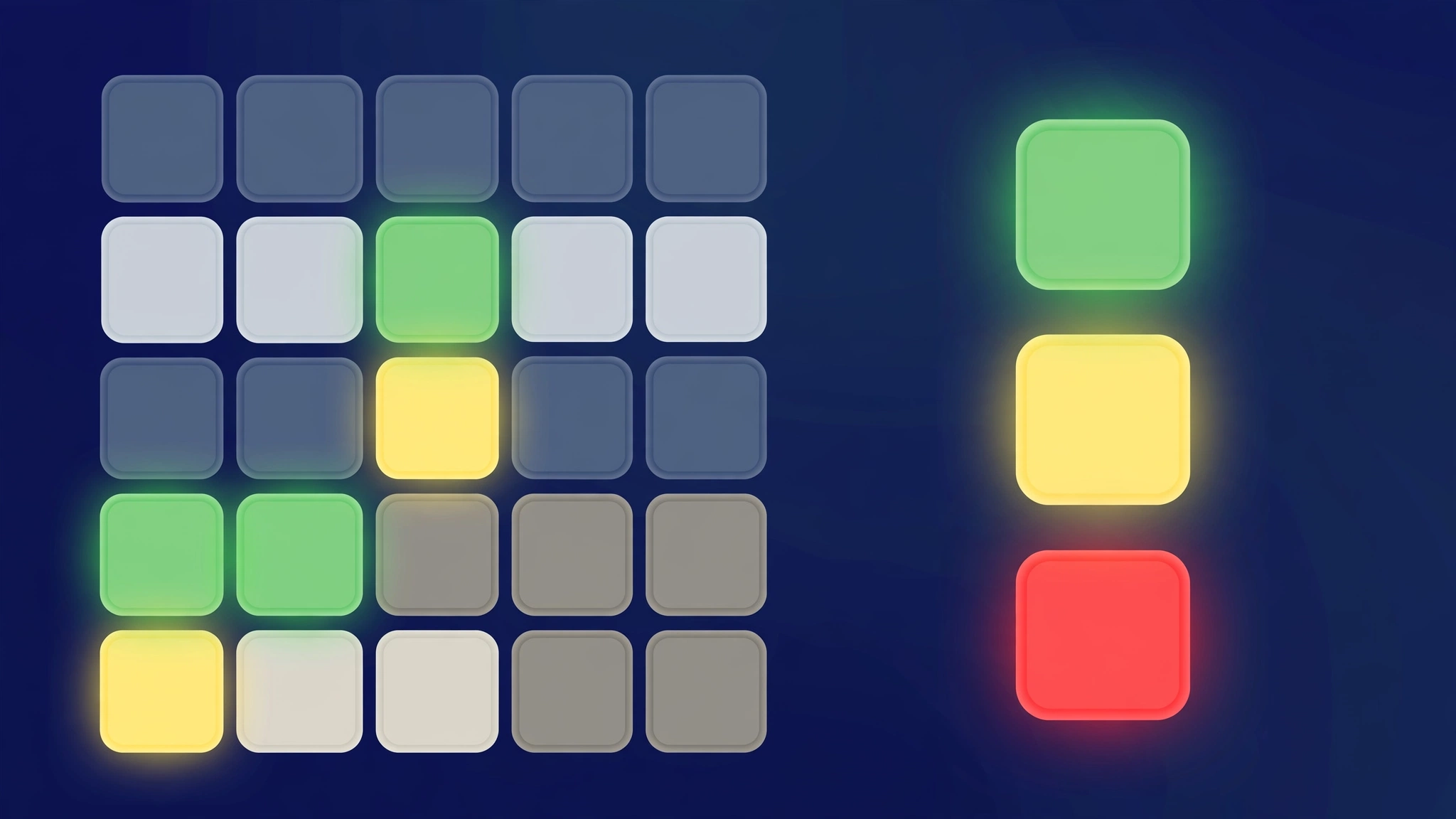
Word 500 is a logic-based word-guessing game inspired by Wordle, but with a twist borrowed from the classic code-breaking board game Mastermind: after each guess, you only learn how many letters are right — not which letters or where they are. You get 8 tries to crack a hidden five-letter word using green, yellow and red count tiles. Learn how to play Plusword or compare the format in Plusword vs Wordle. The official Word 500 game is free at word500.com.
What Is the Word 500 Game?
Word 500 (often written "Word500") is a free browser word puzzle played at word500.com. Like Wordle, the goal is to guess a secret five-letter word. Unlike Wordle, the feedback never highlights individual tiles. Instead, after every guess you see three numbers: how many letters are correct and in the right spot (green), how many are in the word but misplaced (yellow), and how many are not in the word at all (red).
That single change transforms the game. In Wordle, a green tile hands you a confirmed letter position. In Word 500, a green count of "2" tells you two of your letters are perfectly placed — but you have to figure out which two. Every round becomes a word-deduction logic puzzle as much as a vocabulary test.
How to Play Word 500: Step by Step
- Type any five-letter word as your first guess. Strong openers use common letters: STARE, PRINT, CRANE.
- Read the three counts. Suppose you guess BINGO and see 1 green, 2 yellow, 2 red. That means one letter is correct and correctly placed, two letters are in the word but misplaced, and two letters are absent entirely.
- Deduce, don't just guess. The counts are your only clues. If a later guess returns the same green count after swapping two letters, neither swapped letter was the green one.
- Use the underscore (_) as a placeholder to skip a position temporarily while you test other letters.
- Hit the Hint button if you are stuck — the game suggests a word consistent with all clues so far.
- Solve within 8 tries. Run out of guesses and the word is revealed.
The Three Difficulty Levels
Word 500 offers three levels, usually presented with smiley faces:
| Level | What changes |
|---|---|
| Easy (green smiley) | Standard play; a good starting point for learning the count system |
| Standard | The word may contain missing-letter patterns; no letter repeats (like TOTAL) |
| Hard | Tighter constraints and trickier word selection |
Each level gets a new hidden word every day, so there is always a fresh daily challenge.
Eight Languages
One of Word 500's standout features is language support. The game is available in English, French, Catalan, Spanish, Dutch, German, Portuguese and Italian — eight languages, each with its own daily word per difficulty level. That makes it a genuinely useful vocabulary trainer if you are learning a second language.
Word 500 vs Wordle: Key Differences
| Feature | Wordle | Word 500 |
|---|---|---|
| Guesses | 6 | 8 |
| Feedback | Per-tile colors | Counts only (green/yellow/red totals) |
| Difficulty levels | 1 | 3 |
| Languages | 1 (English) | 8 |
| Custom puzzles | No | Yes — create and share your own |
| Hint button | No | Yes |
Strategy: 7 Tips for Cracking the Code
- Open with two vowel-heavy words. STARE then MOUND covers most common letters fast.
- Track greens by elimination. Change one letter at a time; if the green count drops, you moved a correct letter.
- Use yellows as anchors. A yellow letter is confirmed in the word — permute its positions systematically.
- Spend early guesses on information, not solutions. Guesses 1–3 should maximize new letters, not chase the answer.
- Mind the no-repeat rule at Standard level. Letters don't repeat, which shrinks the search space.
- Use the underscore placeholder to freeze positions you are unsure about while testing others.
- Save the Hint for guess 6 or 7. Early hints waste the deduction fun; late hints rescue a streak.
Where to Play Word 500 Free
- word500.com — the official site with daily mode, all 8 languages and custom puzzle sharing.
- rankdle.io/word500 — a popular portal mirror with a clean interface.
- wordgames.gg/word500 — another free portal version.
- crosswordle.cc/word-500 — includes an FAQ and how-to-play guide.
These portals are fan-run mirrors; the game itself is an independent project, not affiliated with The New York Times.
Common Mistakes to Avoid
Word 500's count-only feedback trips up every Wordle veteran. The biggest mistake is expecting green and yellow tiles to mark specific letters — they don't. A "two green" result only tells you two letters are correct and well-placed, never which ones, so you must track possibilities across guesses instead of locking letters in. Second, players repeat letters on the Standard level, forgetting that Standard words contain no repeated letters at all. Third, many waste the generous eight-guess allowance on early random stabs instead of using the first few guesses to map the letter counts systematically. Finally, don't ignore the difficulty levels: stepping up from Standard changes the rules, so re-read them before assuming your Standard strategy still applies.
The Bottom Line
Word 500 takes the Wordle formula and adds a Mastermind brain-teaser layer: counts instead of highlighted tiles. If classic Wordle ever felt too easy — or too luck-driven — the logic-first feedback of Word 500 is the upgrade your daily puzzle routine has been waiting for.
INTERNAL_LINKS: https://plusword.co.uk/how-to-play-plusword/, https://plusword.co.uk/plusword-vs-wordle/
SOURCES: word500.com (official site); wordgames.gg/word500; wordlewordle.io/word500; likewordle.com/games/word500; crosswordle.cc/word-500; rankdle.io/word500
Training Your Mastermind Logic for Word 500
Word 500 hides which letters are right — only how many. That single change demands Mastermind thinking. Train it:
- Play actual Mastermind. The board game is the direct ancestor of Word 500's feedback system, and twenty minutes with physical pegs teaches the counting logic faster than any number of digital rounds.
- Track counts, not letters. After each guess you learn a number: how many letters are correct. Log these counts per guess and cross-reference them — the answer emerges from the arithmetic of overlapping counts.
- Use the process of elimination aggressively. With eight tries and count-only feedback, each guess is an experiment. Design guesses to test hypotheses: change one variable at a time so the count change tells you something specific.
- Learn the three difficulty levels. Word 500's levels change the challenge shape. Master the easiest fully before climbing — the counting skills compound, and skipping ahead just teaches bad habits.
- Exploit the eight languages. The game supports eight languages, and playing in a second language you know doubles your practice pool while training the same logic muscles.
- Review the red tiles. The red/green/yellow count system is information-dense once you learn to read it. After each game, reconstruct what the counts were telling you — missed inferences are the tuition fee for mastery.
How many guesses do you get in Word 500?
Typically 8 guesses, though some portals and difficulty settings vary between 8 and 12 attempts.
What do the green, yellow and red tiles mean in Word 500?
They are counts, not positions: green = letters correct and well-placed, yellow = letters in the word but misplaced, red = letters not in the word.
Is Word 500 the same as Wordle?
No. It is inspired by Wordle but uses Mastermind-style count feedback instead of per-tile colors, with 8 guesses, 3 difficulty levels and 8 languages.
Can you play Word 500 in other languages?
Yes — English, French, Catalan, Spanish, Dutch, German, Portuguese and Italian, each with a daily word.
Is there a daily Word 500?
Yes. Every day brings a new hidden word for each difficulty level and language.
Can you make your own Word 500 puzzles?
Yes. On word500.com you can create a custom puzzle from any word and share it with friends.
What is a good starting word for Word 500?
STARE, PRINT and CRANE are strong openers because they cover the most common letters.
Is Word 500 good for vocabulary building?
Yes. The deduction-heavy format plus 8 supported languages make it a solid vocabulary and spelling trainer.
How is Word 500 different from Wordle?
Word 500 uses Mastermind-style feedback: after each guess you learn only how many letters are correct, not which ones or where — plus you get eight tries instead of six, across three difficulty levels and eight languages.
What do the red tiles mean in Word 500?
Word 500’s feedback uses green, yellow and red count tiles to tell you how many letters are right — a fundamentally different clue system from Wordle’s positional green-yellow-grey.